
Trip management
Freight trip records without Excel sheets
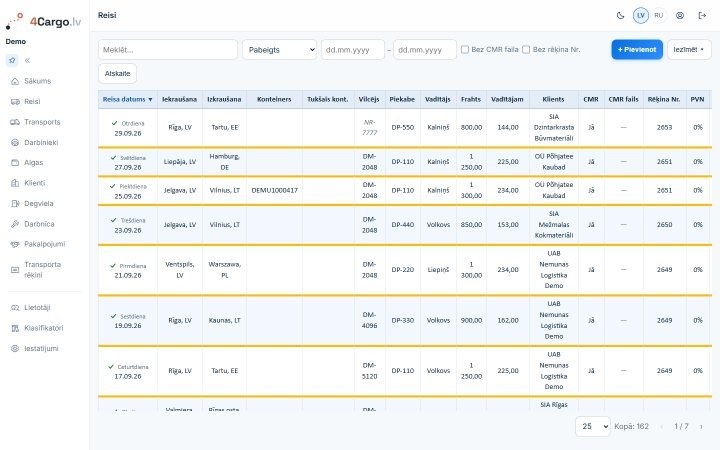
4Cargo keeps every trip in one row: from where to where, with which tractor and trailer, which driver, for which client, at what freight rate, and whether the CMR and invoice are done. Totals add up by themselves, and dispatchers, accountants and managers work from the same data.
What goes into a trip
A trip holds everything both the dispatcher and the accountant need. Tractor, trailer, driver and client are picked from lists, so names never drift apart and reports add up.
- Trip date, loading and unloading place
- Tractor and trailer from your fleet, or a one-off number of a hired vehicle
- Driver and client from your own lists
- Freight, driver pay and VAT rate
- Container and empty container number
- CMR flag and CMR scan
- Invoice number and comment
Statuses: planned, active, finished
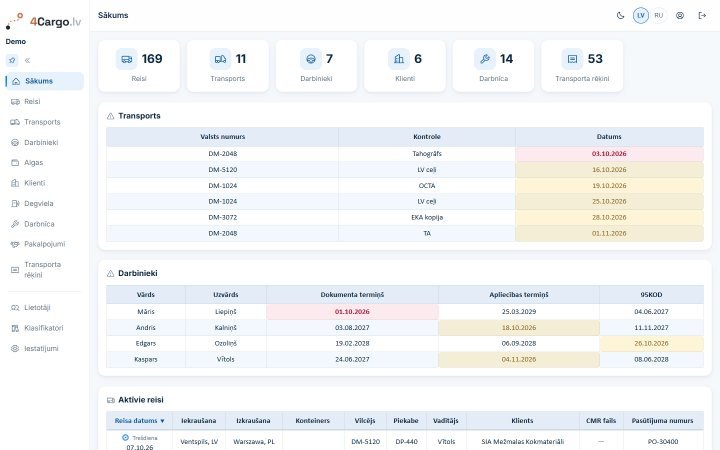
A trip can be entered in advance as planned. On the trip date it turns active by itself, and the active trips list is on the dashboard right after you sign in.
Finished trips make up the driver's monthly pay, so the status is not just a label but a signal for the pay section.
Less routine work
What eats time in a spreadsheet takes a few clicks in the app.
- Bulk edit: change the CMR flag, invoice number, VAT, driver, freight, pay or status of many trips at once
- Trip copy for repeat routes
- Freight and driver pay totals at the bottom of the list
- Filters by date, status and trips without an invoice number
- Period report as a PDF on your company letterhead
At the office and on the road
4Cargo runs in the browser on a computer, tablet or phone, with nothing to install. On a phone the lists turn into cards, so a trip can be checked or completed on the road. The administrator decides who may view, create, edit or delete trips.
Screenshots show demo data; the interface is in Latvian.
Questions and answers
Can I record a trip done with a hired tractor or trailer?
Yes. If a vehicle outside your fleet does the trip, type its number straight into the trip without adding it to your vehicle list.
How do trips get onto an invoice?
Enter the invoice number in the trips - 4Cargo groups all trips with that number into one transport invoice and works out the total with VAT.
Can you move our existing trips over from Excel?
Yes, by arrangement we move your trips, vehicles, staff and clients over from Excel ourselves.
Try 4Cargo free for 30 days
€35 a month excl. VAT per company. No card and no contract - leave a request, and we will give you access and walk you through the app.